Your work tracks itself. You track the revenue.
The Problem
Time tracking feels like a chore
But untracked time is unbillable time. Studies show you lose 10% of billable hours if you don't log by end of day, and 25% if you wait until the next day.
Time-Consuming
Manual logging takes away from actual billable work
Easy to Forget
End of day? What did you work on at 10am? Who knows.
Boring
Nobody became a freelancer to fill out timesheets
Costly Mistakes
Missing records directly impact your invoices and income
The Solution
Automation removes the chore. Revenue keeps you going.
ttime solves time tracking two ways: integrations capture your activity in the background, and revenue visibility makes reviewing it feel worth doing.
Automatic Activity Capture
Chrome and VS Code extensions run in the background. Your activity is recorded without you lifting a finger.
Review, Don't Recall
See real activity data instead of guessing what you did at 10am. Review by day or week and assign to records.
Revenue Visibility
Set monthly goals and watch earnings grow in real-time. It's not about hours worked—it's about money earned.
Fast Record Creation
Create clean time records from captured activity with a few clicks. Assign one or more activities to a single record.
Features
Built around the automation loop
Integrations capture activity. You review it, create records, and track revenue. Every feature supports this loop.
Your tools feed ttime automatically
Chrome and VS Code extensions capture activity in the background while you work. No timers to start, no forms to fill. You just review what was recorded and turn it into clean time records.


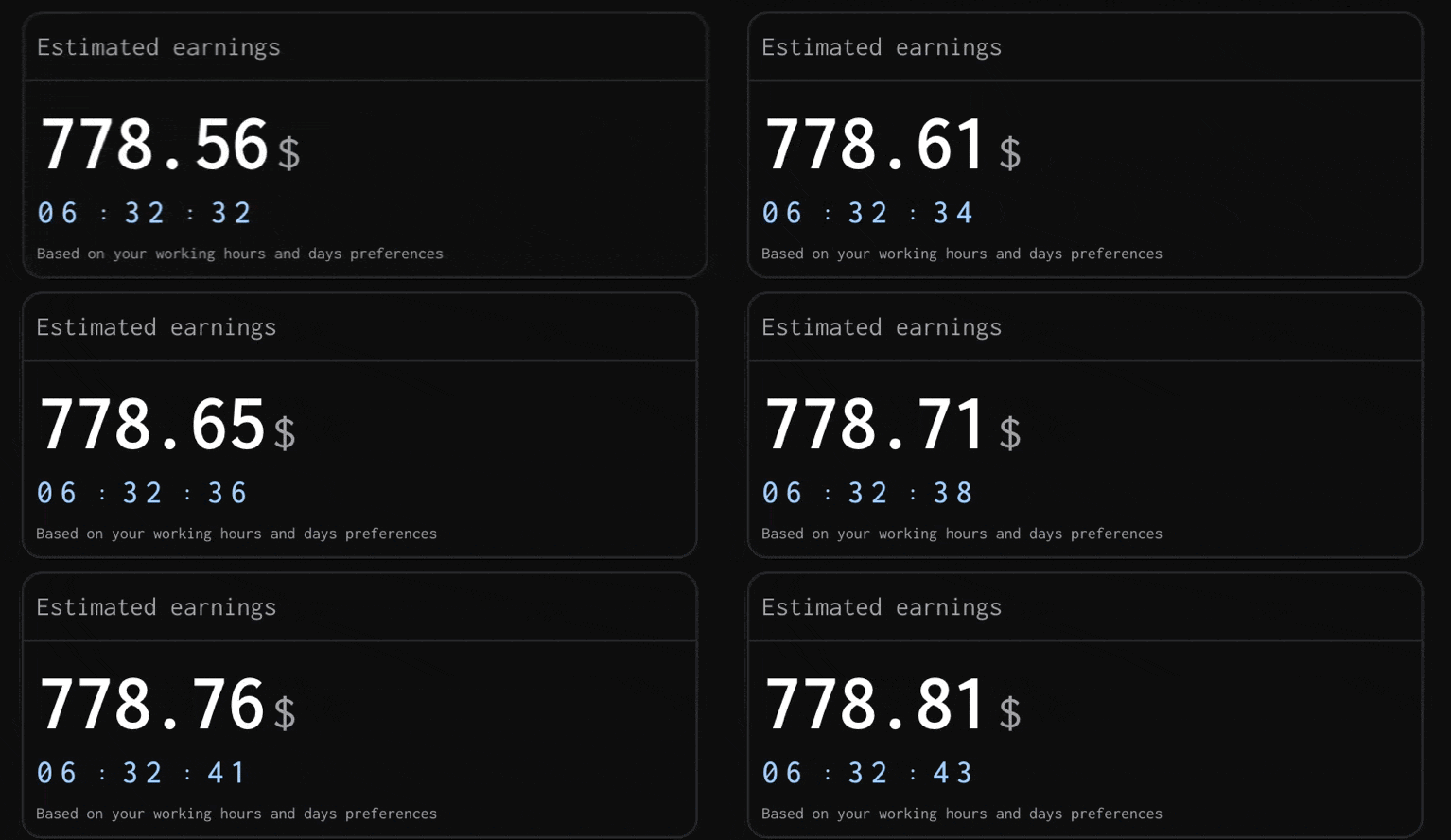
Revenue goals that keep you motivated
Set a monthly revenue target and watch your progress update with every record. See earnings this month, goal completion, and live totals — the numbers that make tracking feel worth it.
Multiple currencies, one clear total
Bill different clients in different currencies with project-specific rates. ttime converts everything to your default currency so you always see one accurate revenue number.
Export-ready data for invoicing
Download your tracked time as Excel, CSV, or Markdown. Filter by date range, project, or work type — then send it straight to your client.
How It Works
Connect. Work. Review. Done.
Connect your tools
Install the Chrome and VS Code extensions. Set your rate, currency, and revenue goals.
Work normally
Activity is captured automatically in the background. No buttons to press, nothing to remember.
Review & record
Review your captured activity, create clean time records with a few clicks, and watch your revenue grow.
Who It's For
Built for solo professionals paid by the hour
No team features, no complex project management—just simple, effective time tracking focused on your revenue.
Perfect for you if...
You're a freelancer or solopreneur
You bill clients by the hour
You want to maximize your hourly earnings
You need simple invoicing data
You set monthly revenue goals
Not built for...
Teams or agencies with multiple employees
Fixed-price or retainer-based billing
Complex project management needs
Resource allocation across team members
Early Access
Help build the product, use it for free
I'm building ttime based on real user feedback. The first 100 users get lifetime free access in exchange for helping shape the product with their input.
Early Adopter
Limited to first 100 users
Free
forever
All current & future features
Unlimited projects & time entries
Request & prioritize features
Direct line to the developer
2 years data retention
I may reach out for feedback to make ttime better for you
Pro
After beta ends
TBD
/month
Features shaped by early adopters
Extended data retention
Pricing based on user feedback
More features coming...
Ready to automate your time tracking?
Stop forgetting billable hours. Connect your tools, let ttime capture your work, and watch the revenue add up.
Featured On
ttime
Your work tracks itself. You track the revenue.
Tools
Pomodoro TimerAmbient NoiseTime Card GeneratorMeeting Cost CalculatorProject Cost Estimate CalculatorWorking Days CalculatorFreelance Job FinderBlog
Latest ArticlesThe Freelancer's Guide to Retirement PlanningHow to Say No to Client Requests Without Burning BridgesHow to Negotiate a Rate Increase With Existing ClientsHow to Fire a Bad Client Professionally (And Walk Away Clean)Freelance Contracts 101: Clauses You Should Never Skip© 2026 ttime. All rights reserved.
Built with ♥ for freelancers, by freelancers.